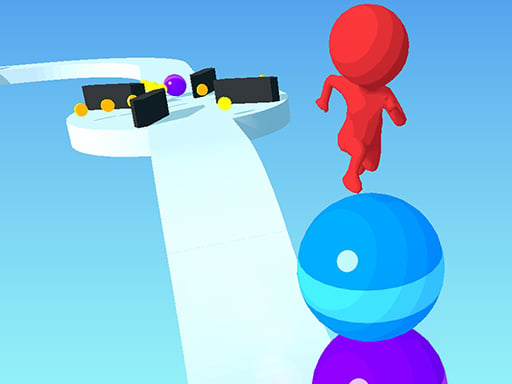








Best Games To Play At School — Unblocked And Free
We picked 10 browser games that work on school Chromebooks and networks. No downloads, no installs, just open the page and start playing.
Last Updated: March 2026 | By KomliGames Team
Browser games that load over HTTPS work on most school networks without special workarounds — here are the 10 best ones we found for playing during breaks.
Why Browser Games Work at School
Most school network filters block downloads and known gaming platforms, but they generally allow HTTPS websites to load. Since KomliGames runs entirely over HTTPS and games play directly in the browser window, they tend to work on Chromebooks and school laptops without any special setup. No installs, no extensions, no VPNs needed.
That said, we always recommend playing during free periods and breaks — not during class. Think of these as your study-break reward system.
Our Top 10 Picks for School
We tested these on a Chromebook with a basic school-grade internet connection. All of them loaded quickly and played smoothly.
| # | Game | Genre | Why It Works at School |
|---|---|---|---|
| 1 | Water Sort Puzzle Master | Puzzle | Silent, no time pressure, easy to pause |
| 2 | Brain Test IQ Challenge | Puzzle | Brain-training vibes, quick rounds |
| 3 | Ball Runner 3D | Hypercasual | One-tap controls, instant restart |
| 4 | Geometry Dash Cube Adventure | Arcade | Rhythm-based, addictive, silent |
| 5 | Quiz Runner.io | Trivia | Actually educational (sort of) |
| 6 | Stickman Slash | Action | Fast rounds, minimal sound |
| 7 | Snake War Multiplayer | IO | Classic gameplay, easy to pick up |
| 8 | Block Blast Puzzle | Puzzle | Tetris-like, no sound needed |
| 9 | Color Screw 3D | Hypercasual | Satisfying mechanics, low bandwidth |
| 10 | Hero Rescue Puzzle | Puzzle | Logic-based, no reflexes needed |
Best Genres for School Gaming
Puzzle Games
Puzzles are the safest bet at school. They are quiet, can be paused instantly, and games like Water Sort Puzzle Master look almost educational if a teacher glances over. Our team found that puzzle games also tend to load the fastest since they use minimal assets.
Hypercasual Games
One-tap games like Ball Runner 3D and Color Screw 3D are perfect for short breaks. Rounds last under a minute, and you can stop and restart without losing progress.
.IO & Multiplayer
If you and your friends are on the same network, .io games like Snake War Multiplayer let you compete head-to-head. Just keep the volume off.
Tips for Playing at School
- Mute your device. Nothing exposes a gaming session faster than sudden sound effects.
- Stick to puzzle and casual games. They are easier to minimize and look less conspicuous.
- Use breaks wisely. Play during lunch, free periods, or after finishing assignments early.
- Bookmark KomliGames. Having the URL saved means you spend less time searching and more time playing.
- Avoid games with heavy animations. They drain battery and can slow down shared Chromebooks.
Frequently Asked Questions
What are unblocked games?
Unblocked games are browser-based titles hosted on HTTPS sites that load on school and work networks. Since they do not require downloads or special software, most network filters let them through.
Are these games safe for school?
Yes. KomliGames does not use pop-ups, does not require downloads, and does not host inappropriate content. All games run directly in the browser.
Do I need to download anything?
No. Every game loads in your browser. Just visit the game page and click play.
Will these games work on a Chromebook?
Yes. We tested all the games above on a standard Chromebook. They are browser-based and do not need Chrome extensions or Android apps.
Can my teacher see what I am playing?
School networks often log website visits. We recommend playing during designated free time, not during class.
Find More Games
Check out the full collection tagged unblocked games on KomliGames, or browse puzzle games and hypercasual games for more school-friendly options.